Start with a spark
Search from a description or product image in Keyword Research Studio. Browsing Etsy? Open Listing Research in the Chrome side panel. Pro and Premium let you continue into the Studio from there.

Bring a starting point. Search by meaning, discover phrases beyond your original words, and keep the ideas you want to develop.
Word-based keyword research starts with the wording you already know. Aaura's semantic search also explores meaning and context — so relevant phrases don't have to contain your search term at all.
| Approach | What it looks for | Example phrase |
|---|---|---|
| Exact match Literal wording | In a literal search, the same words in the same order. | baby shower gift |
| Phrase match Wording within a longer phrase | In a phrase-based search, the original phrase with extra words around it. | personalized baby shower gift |
| Broad match A wider match | Looser matching, such as reordered words and variations. Some tools also expand to synonyms and related meanings. | gift for a baby shower |
| Semantic search Meaning and context | Related concepts, recipients, occasions, styles or uses — even with no shared search words. | personalized nursery keepsake embroidered name blanket |
A simplified comparison of word-based search patterns, not universal platform rules. Match-type labels vary: modern ad systems, including Google Ads, also use meaning in exact, phrase and broad matching.
None of those words appear in "baby shower gift." The connection is the recipient, the occasion and the idea of a personal keepsake.
That's the value for your research: fresh ways to describe a product, related buyer needs and adjacent product directions. Explore the source listings to decide whether a connection fits what you sell.
Aaura's search breadth control lets you explore closer or wider connections. Relevant ideas depend on the available research data; these examples illustrate the concept rather than promise specific results.
Search from a description or product image in Keyword Research Studio. Browsing Etsy? Open Listing Research in the Chrome side panel. Pro and Premium let you continue into the Studio from there.
Explore relevant phrases and adjacent ideas. Look at the products behind a phrase, filter your results and compare up to three keywords before choosing a direction.
Build keyword lists, save reference products with your notes, and reopen tool sessions in the Workbook when you're ready to keep going.
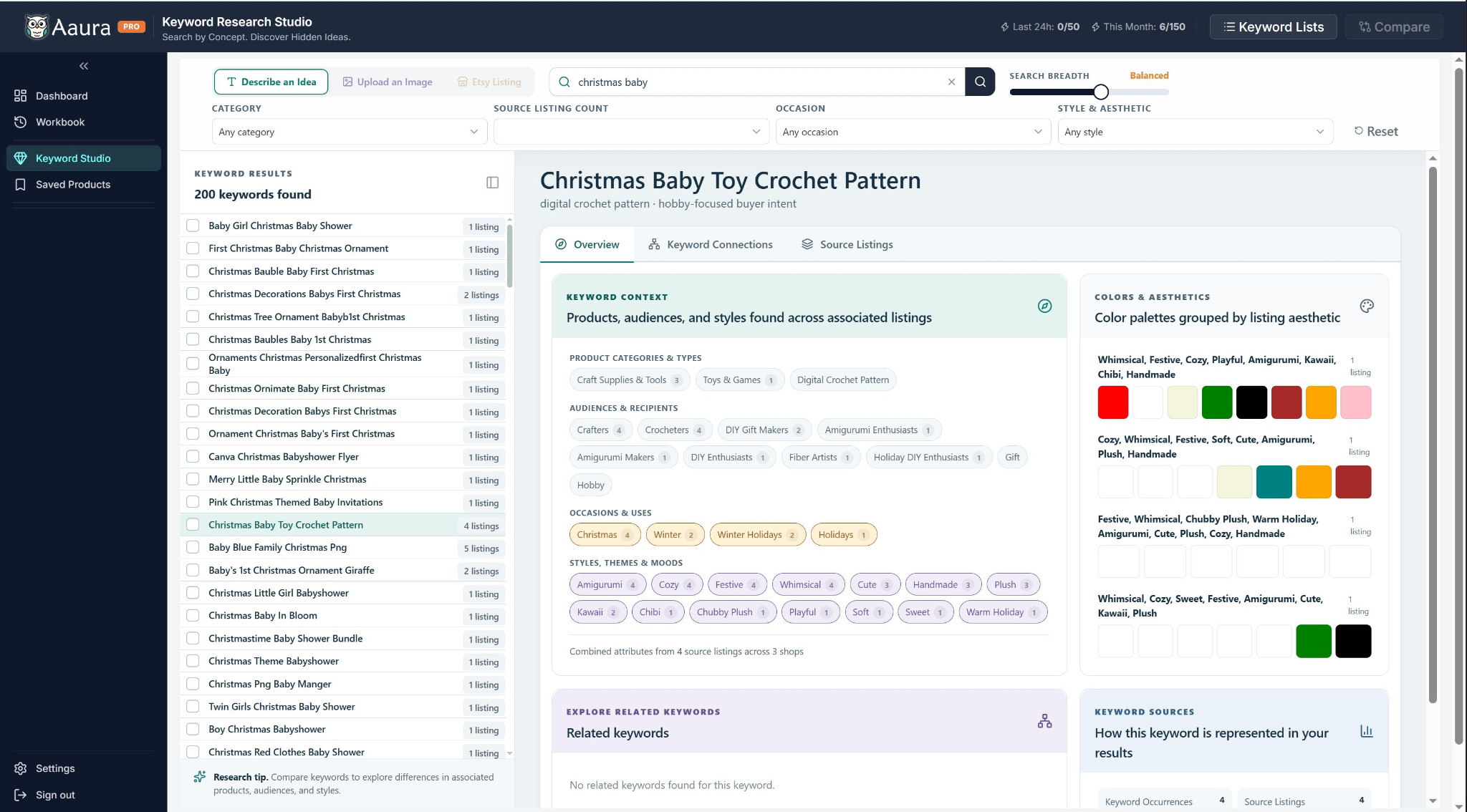
Understand a phrase in context: product types, audiences, occasions and aesthetics combined across its source listings.
View full size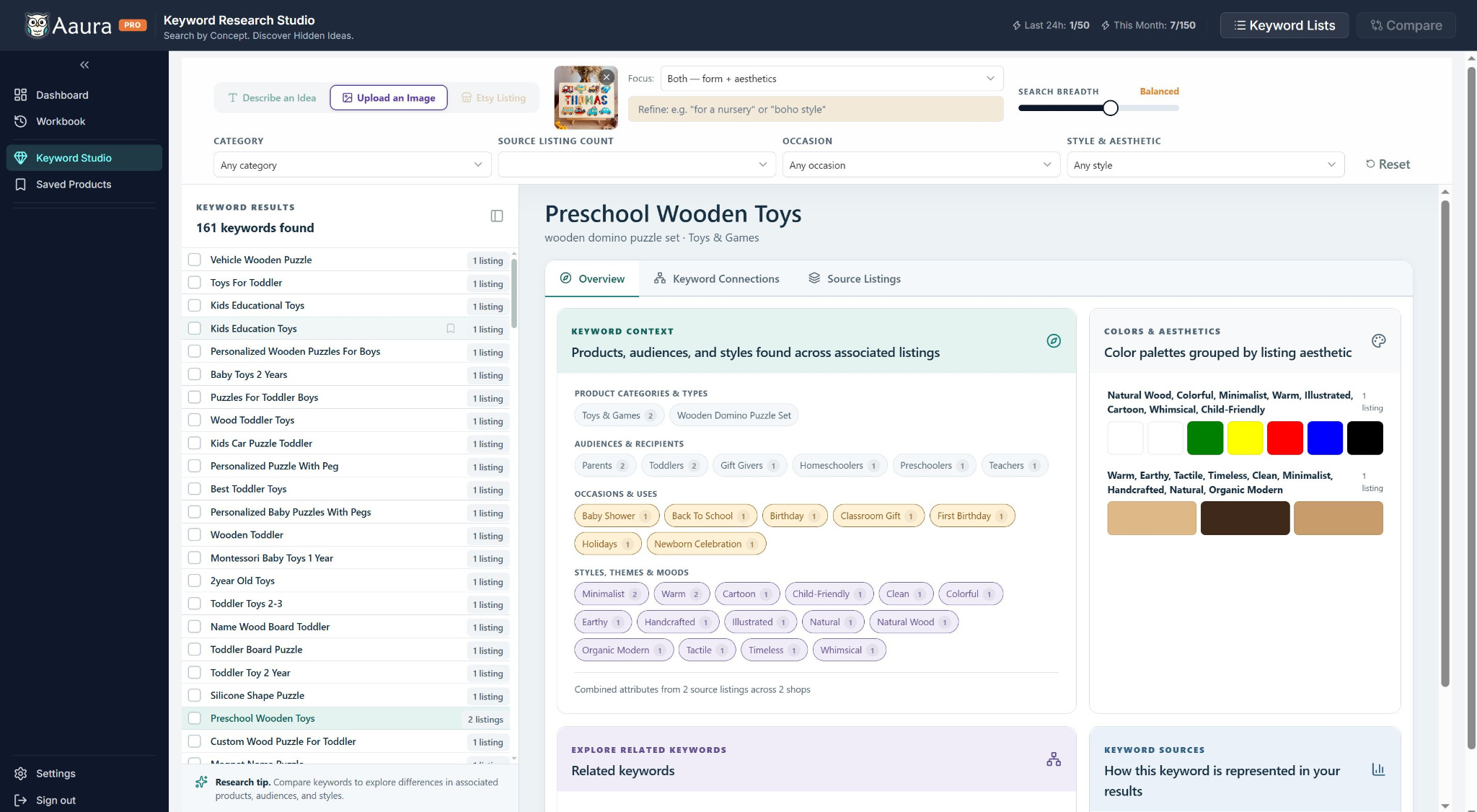
Start with a product photo. Choose a focus on product form, aesthetics or both, then add a short text refinement to guide your search.
View full size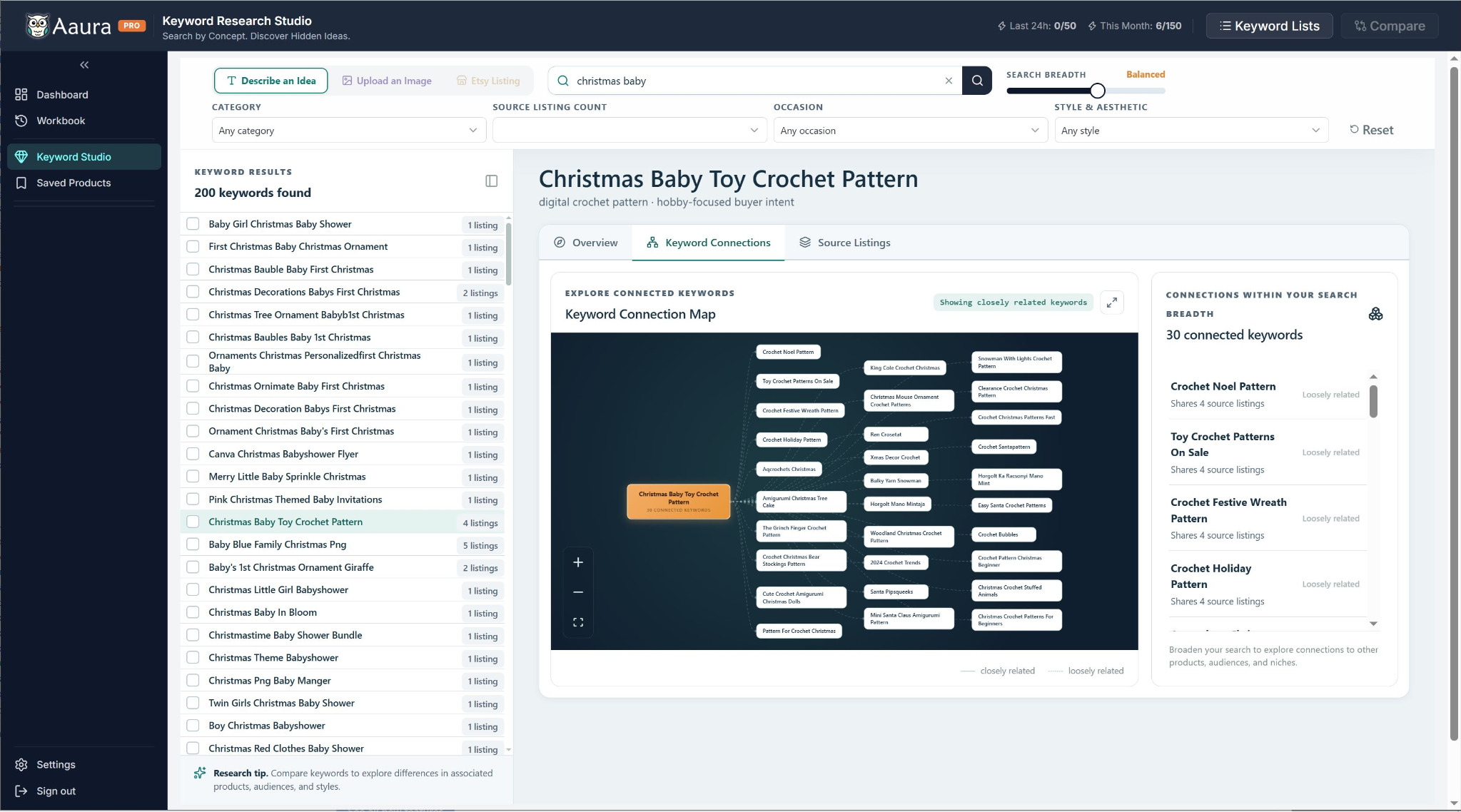
Follow connections to related phrases, and adjust search breadth to explore further.
View full size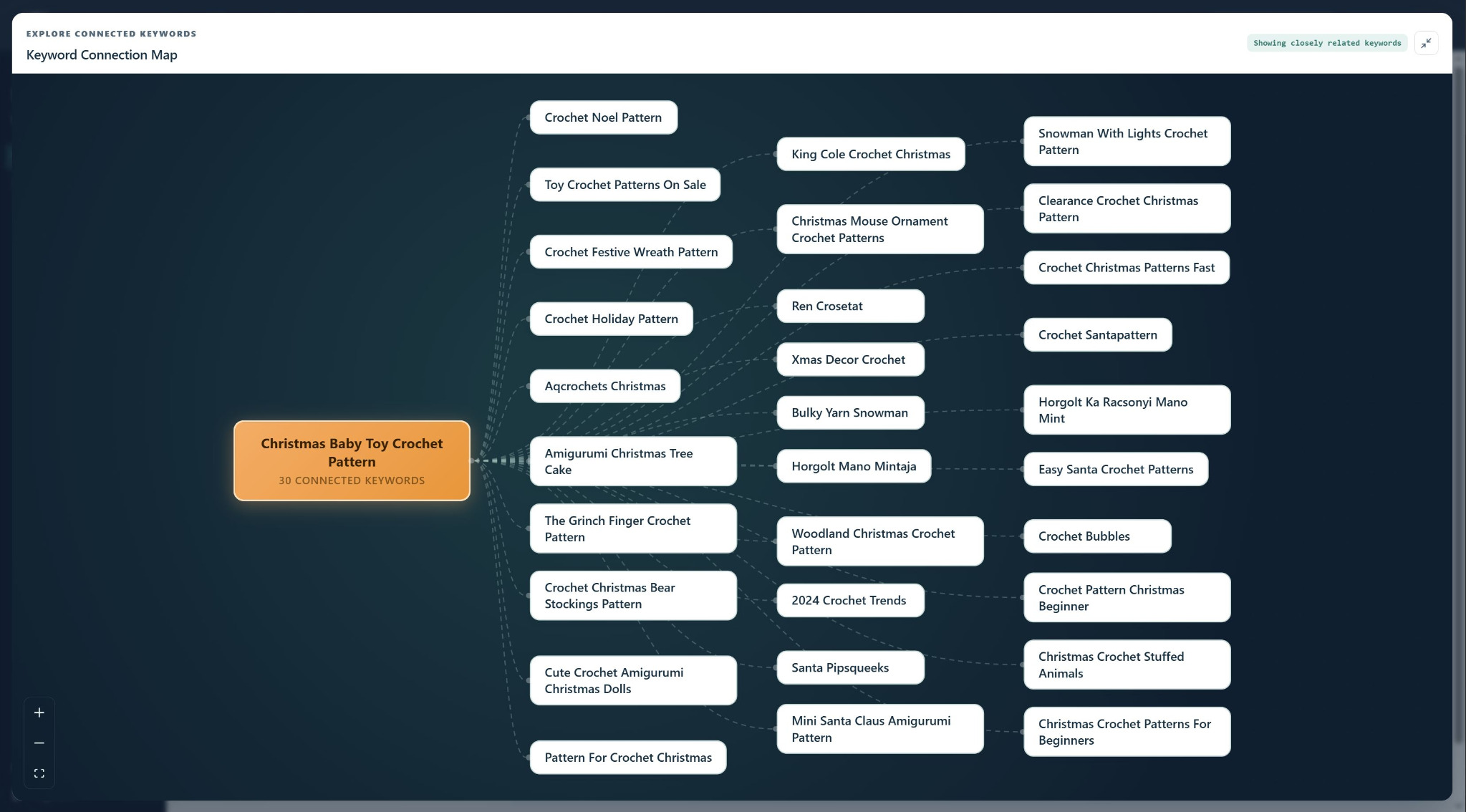
Open the map for a larger view of the phrases connected to your starting keyword.
View full size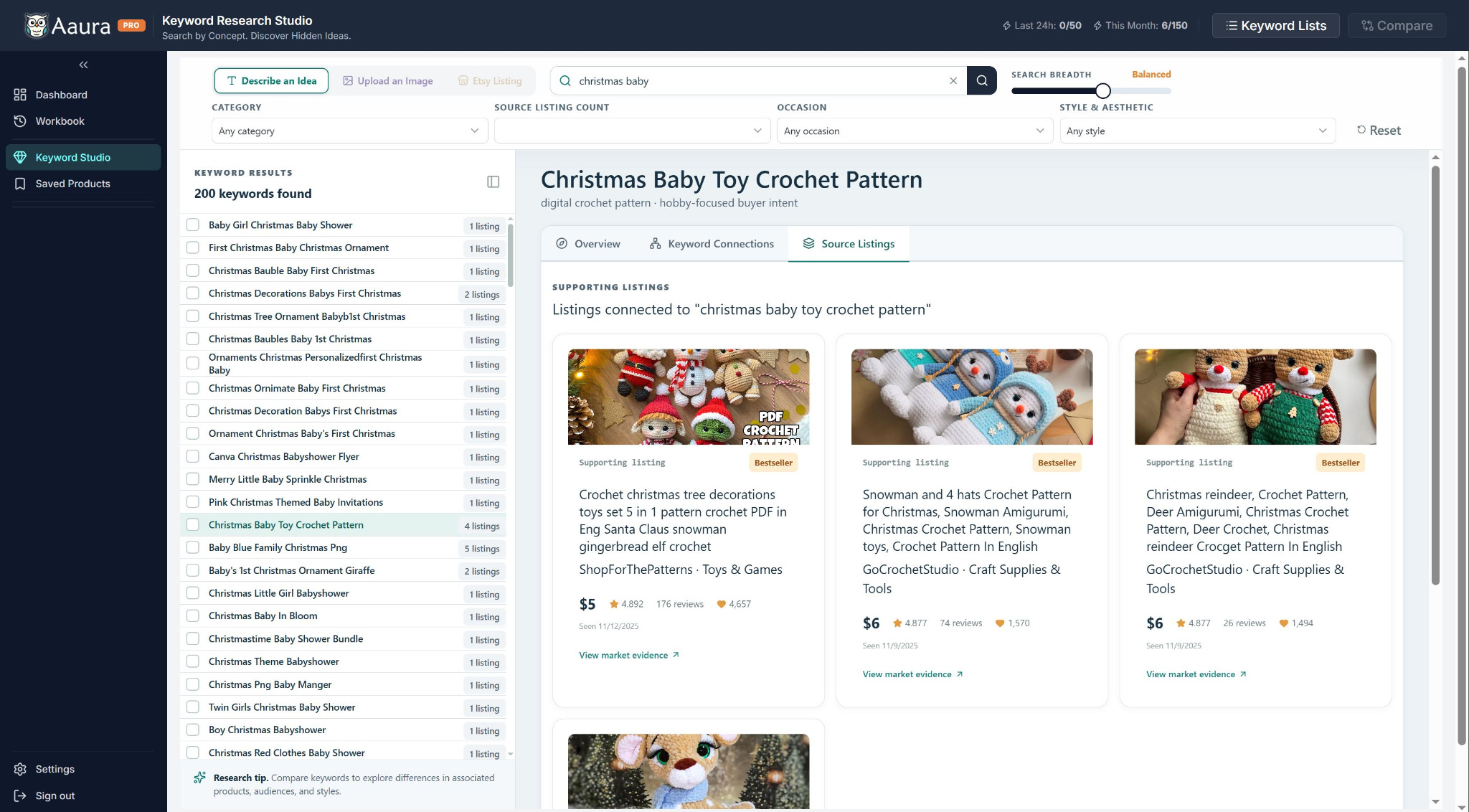
See the actual products behind a phrase, with observed prices, reviews and badges where available.
View full size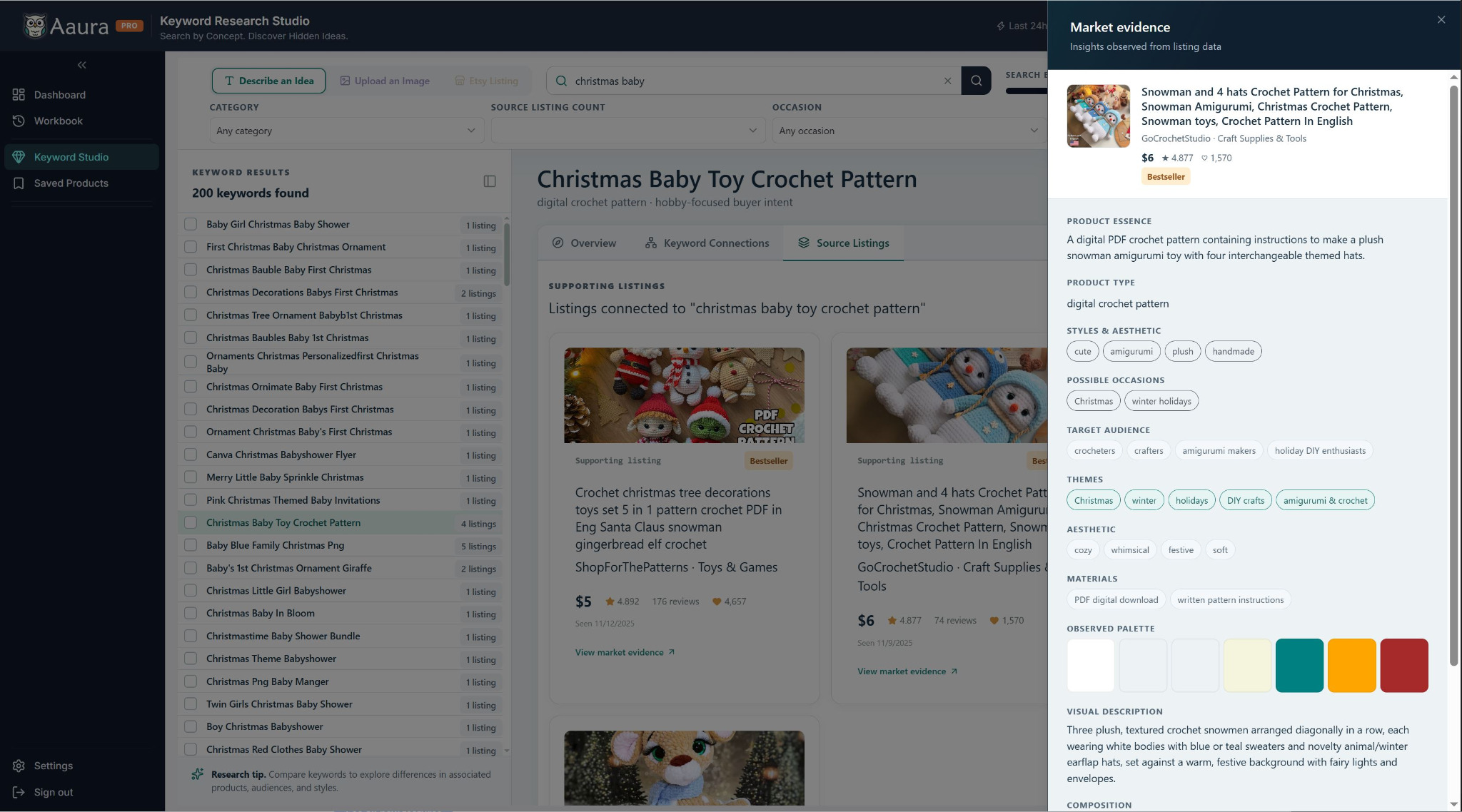
Look more closely at one source product: its product essence, style, possible occasions, audience and visual details.
View full sizeScreenshots show example research from the app, not live results. Availability varies by plan and source data.
You could explore product language such as "rustic pottery mug," follow the style into "cottagecore kitchen," or investigate a gift angle for tea lovers.
Each connection is a question to investigate. Open the source products, compare relevance, and decide which direction fits what you actually make.
This is an illustrative workflow, not a claim about live search results or market demand.
Start with a product. Follow a connection. See where it takes you.